Vimmera Tools: AI Tools for Workflows
Specialized AI solutions that connect multiple work steps and are geared toward a clear goal.

When AI assistance becomes a complete workflow
A single assistant supports a specific role or task. A tool goes one step further: It connects several specialized assistants and brings them together in an interface tailored to the relevant workflow.
Depending on the use case, up to 20 assistants can currently work together in one tool. Each handles part of the overall process. The tool coordinates the steps, provides the right functions, and brings the results together.
In short: A Vimmera Tool is an AI program designed specifically for a particular task. It can receive, review, and process information, create documents, and pass data on to other processes. Its interface is tailored to the task at hand, making it easy for employees to navigate the workflow.
In Vimmera Studio, you can connect tools to company knowledge, data sources, and existing systems. This allows individual work steps to become end-to-end processes tailored to your company.
Use one of our ready-made tools, or let us create the right tool for you:
The Meeting Tool: Make the Most of Conversations and the Knowledge They Contain
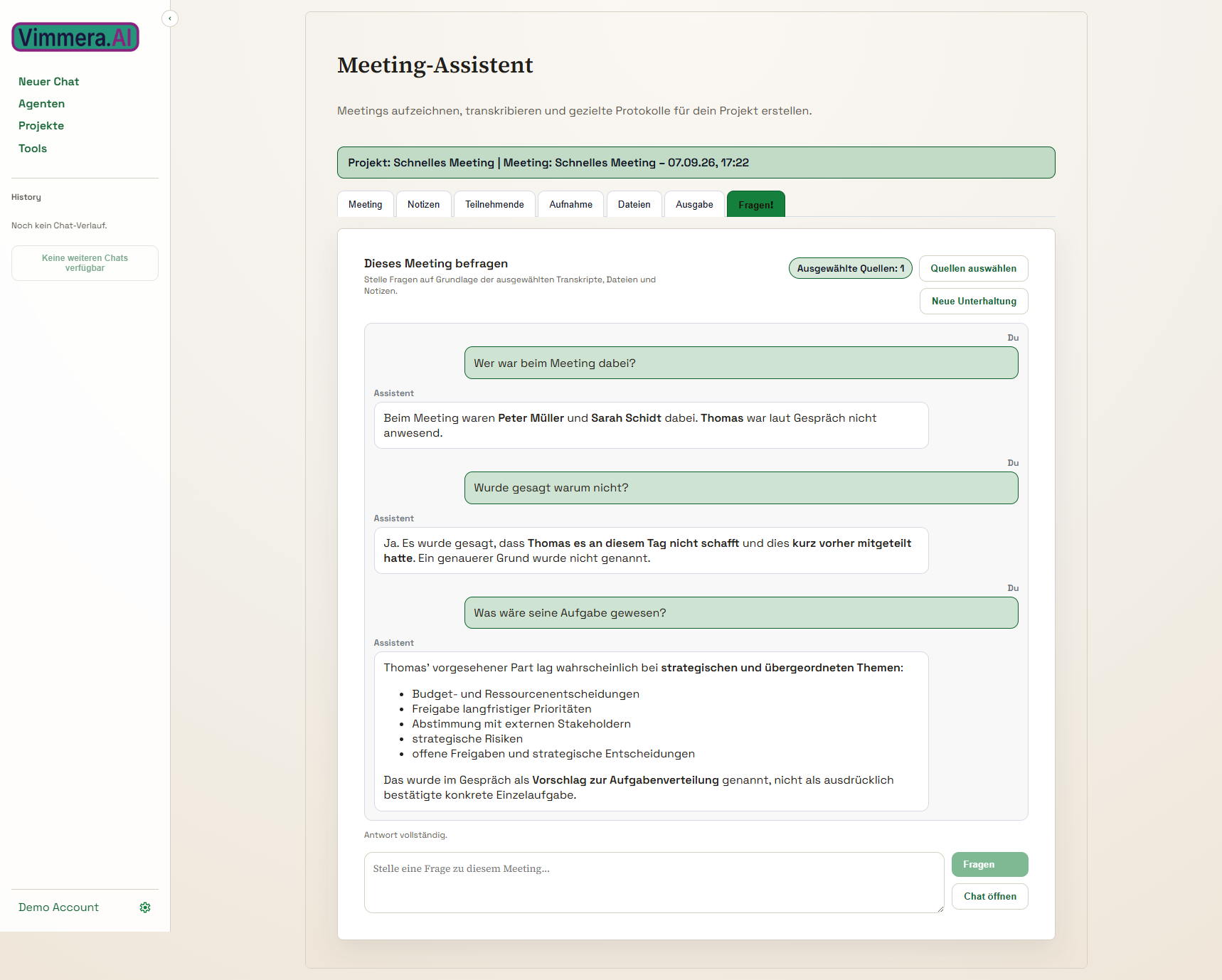
The Meeting Tool is one of our most popular tools. It helps you record meetings, sales conversations, consultations, and department meetings, and then process the information they contain.
You can use a range of recording devices or work directly with a smartphone, tablet, laptop, or PC. The tool is suitable for in-person conversations as well as hybrid and online meetings. Depending on the conversation and the technology used, participants' contributions are captured and made available for further processing.
From conversation to the results you need
AI can transcribe the conversation and create the documents you need. These might include meeting minutes, a to-do list, a summary, a mind map, or a presentation. The results can be tailored to the purpose of the meeting and the way your company works.
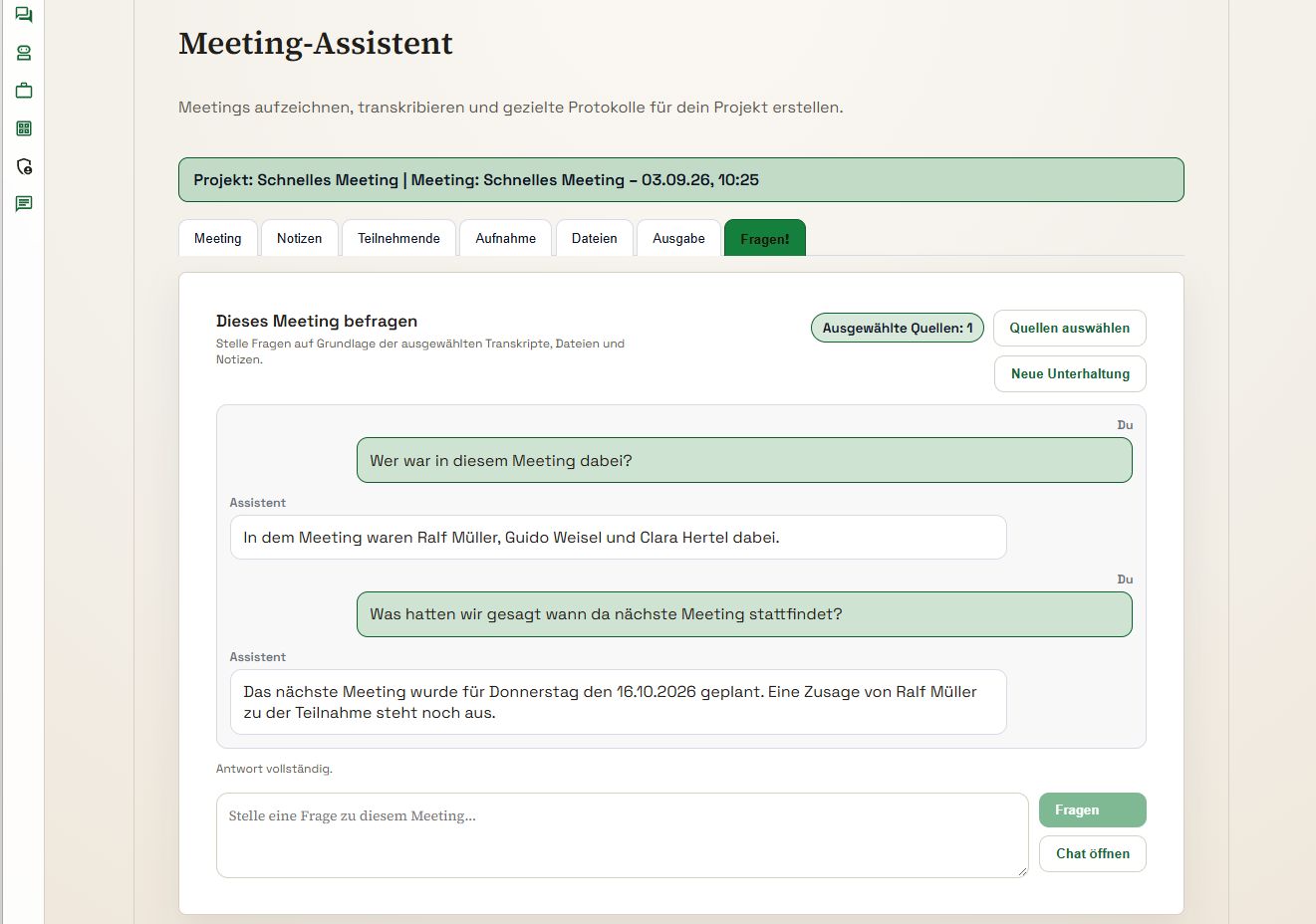
You can then ask questions about the conversation as if you were speaking with someone who was there. What was agreed? Which tasks are still open? What decision was made? Answers can be compiled from the conversation and the materials provided. You can also share the results with your team and use them for the next steps.
It's not just spoken words that matter
Meetings also generate information on slides, in drawings, on whiteboards, and in supporting materials. That's why you can also take photos and add presentations or other documents related to the meeting.
AI then considers not just the transcript, but can bring conversation content together with images, slides, and documents in a shared context. This keeps important details available even when they weren't explicitly mentioned.
Knowledge for follow-up conversations and the entire company
You can use the results to prepare for follow-up meetings, track open items, and assign tasks to the people responsible. Relevant information can be added to company knowledge in a structured way and found again later.
No one needs to try to listen attentively and take notes at the same time. The Meeting Tool captures the content and prepares it so you can focus on the conversation.
The Ventilation Planning Tool: From customer inquiry to finished plan
An inquiry about a ventilation system often involves more than a simple product question. Information must be checked, technical documents understood, calculations performed, and suitable components assembled. The Ventilation Planning Tool connects these work steps in an end-to-end workflow.
The process can start with an email from your customer. AI analyzes the inquiry and checks whether any important information is missing. If follow-up questions are needed, the tool can ask the customer directly according to the rules you've set up. This clarifies missing information before the planning process is unnecessarily delayed.
Include drawings and technical documents
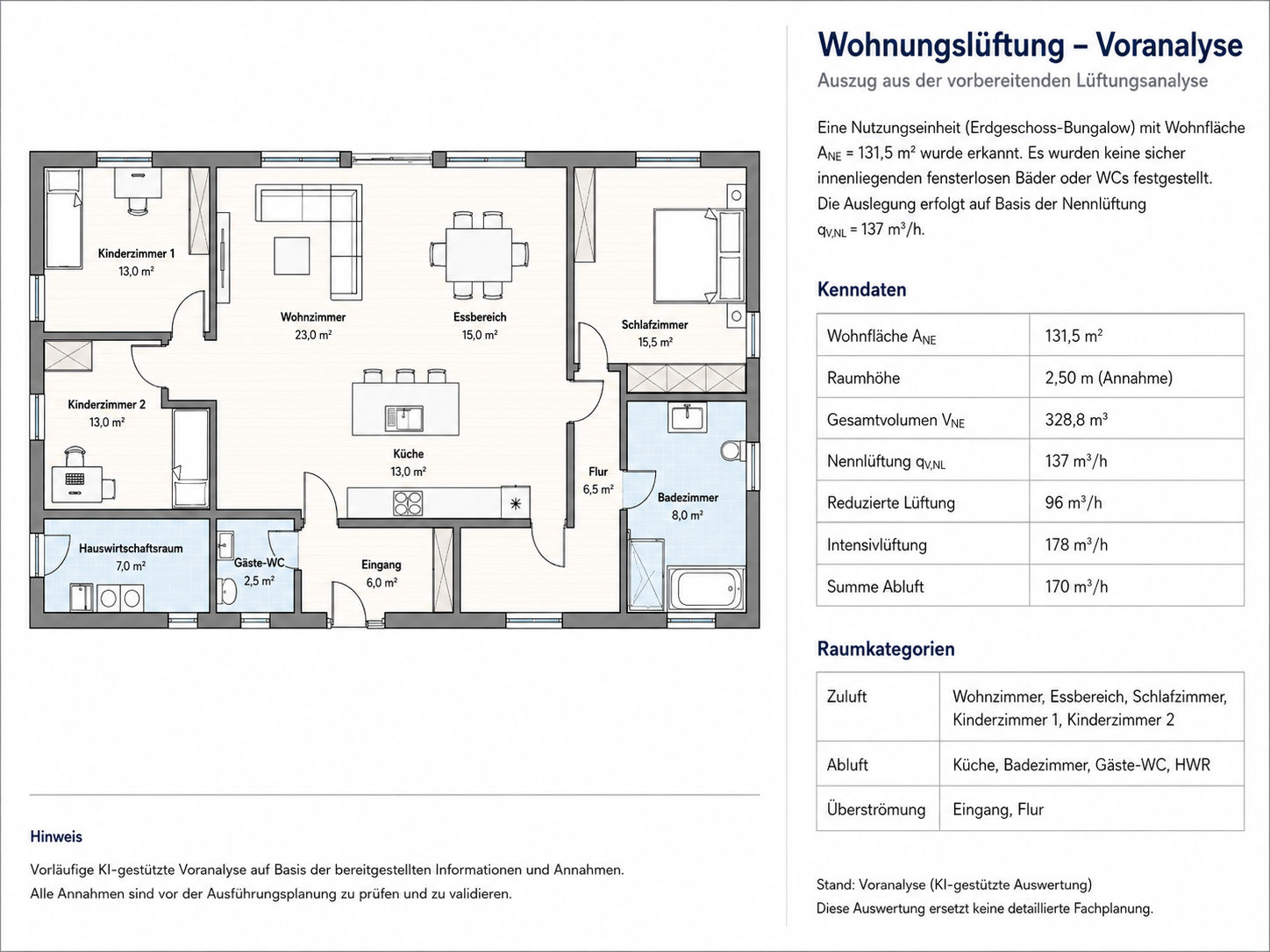
Attached technical drawings and other documents can be included in the analysis. AI combines the information it identifies with the details in the inquiry, stored product data, and relevant planning requirements.
Based on this, the tool can calculate a ventilation solution and compile the components and materials required. Technical information is not considered in isolation, but in the context of the specific customer inquiry and the available product information.
Prepare plans and quotes in one workflow
The results can be used to create planning documents, drawings, material lists, and other documents. The tool can also prepare a quote and a personalized cover letter. Once all the necessary information is available, several time-consuming individual steps become a clearly structured digital workflow.
Once reviewed and approved as required, the completed documents can be sent back to the customer. This gives your customer a well-founded response sooner, while your team spends less time searching for data repeatedly and creating documents manually.
CaptureKit: Capture, structure, and share knowledge
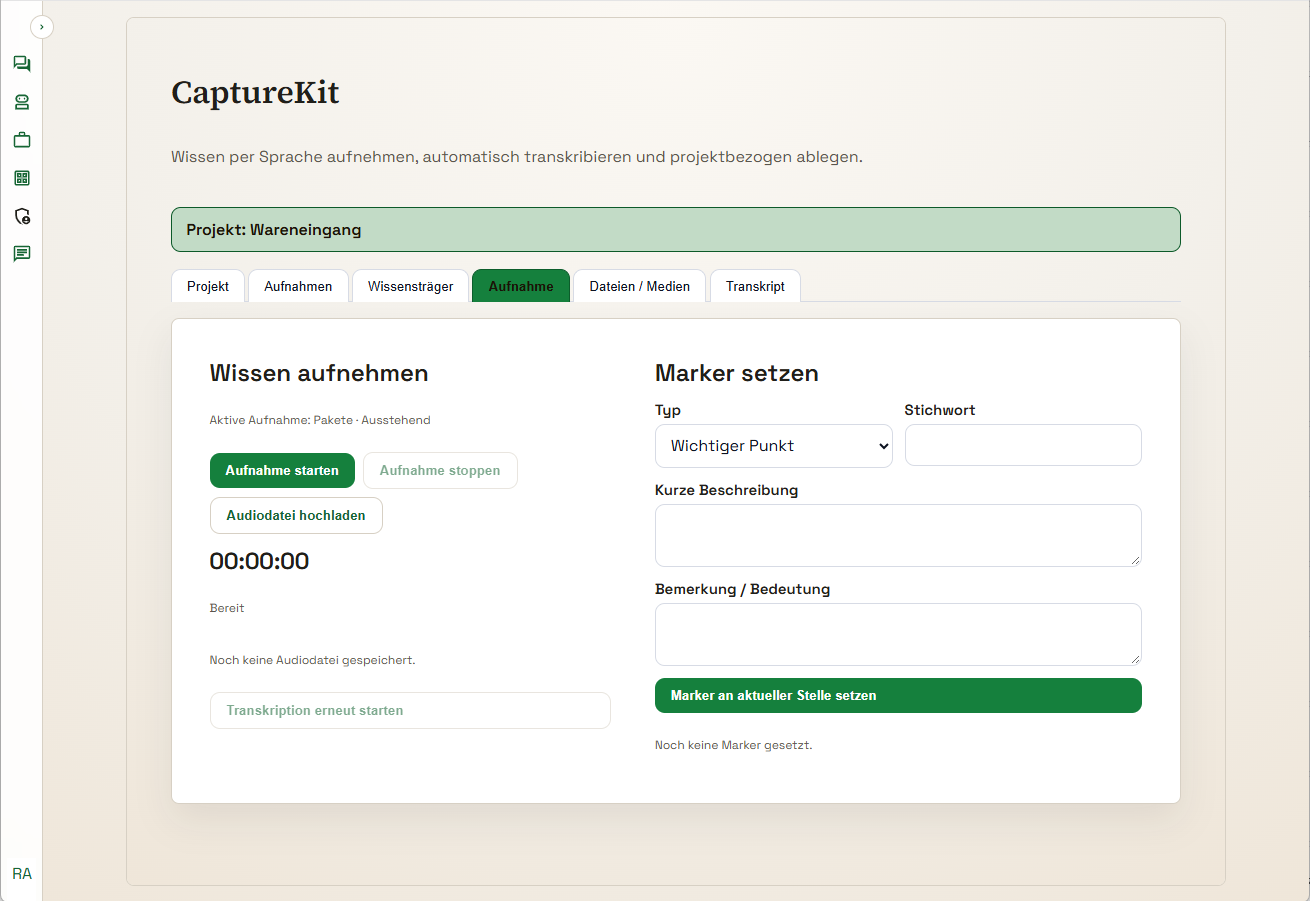
Valuable knowledge is generated every day in a company. It is embedded in workflows, customer conversations, and the experience of individual employees. When an experienced colleague leaves the company, some of this knowledge is often lost. CaptureKit helps capture it in time and make it useful to others.
The tool supports the capture of process descriptions, product presentations, and practical know-how. It can be used in the office, on a construction site, or right at the workplace. Employees can explain workflows, record special considerations, and pass on their knowledge step by step.
Turn knowledge into a usable format
The recorded content is structured and prepared for further use. Images and videos can also be included when they help explain a workflow, product, or specific work situation.
The knowledge captured in this way can be added to the company knowledge base and made available to assistants, tools, and new employees. This prevents information from remaining confined to personal notes, individual files, or one person's experience. It can be found and reused throughout the company.
CaptureKit supports continuous knowledge transfer. New employees can access relevant information, while experienced specialists can pass on their knowledge more efficiently.

The Conversation Analysis Tool: Support during and after the conversation
Sales, consultation, and equipment discussions can last several hours or span multiple appointments. Many details have to be captured and assessed at the same time. The Conversation Analysis Tool supports you during the conversation and in the subsequent review.
AI can record and transcribe conversations. It cross-checks the content against product information, technical requirements, guidelines, and stored company knowledge. This can make open questions, missing information, possible contradictions, and relevant follow-up tasks visible.
Keep track of important points
During the conversation, the tool can provide prompts or targeted follow-up questions. Have all the necessary details been captured? Are there any remaining uncertainties? Are the components discussed compatible? Do technical dependencies need to be checked?
After the conversation, you can get specific questions about what was discussed answered. Which components were discussed? Which version was requested? What should be delivered, and when? What still needs to be clarified before the quote?
There's no need to painstakingly search through lengthy recordings or handwritten notes. The tool structures the content, highlights important connections, and supports the handoff to sales, engineering, or quote preparation.
This gives you a digital assistant for your conversations. It helps you keep track, record agreements, and prepare the next steps while you focus on the person you're speaking with.
Images and videos for marketing, manuals, and customer communications
Vimmera Tools can also create images and videos. This can support marketing, but can also deliver practical benefits in technical and organizational areas.
Create visualizations for product presentations, customer presentations, or training. Add clear illustrations or short explainer videos to instructions and manuals. This can also make complex topics easier to understand.
Generated content can be tailored to the purpose, target audience, and desired presentation. This creates media that not only attracts attention, but also communicates information and supports workflows.
More tools for your processes
The tools described show how broadly AI can support specific tasks. Other solutions can help with translation, transcription, document review, data analysis, invoice workflows, or quote preparation, for example.
Each tool is designed for a specific use case. Existing assistants, knowledge sources, functions, and interfaces are combined to support the process at hand. If requirements change, the tool can be developed further and expanded to include additional work steps.
A tool that fits your task
Vimmera Tools combine AI, company knowledge, and suitable functions in an interface tailored to the way people work. They handle recurring steps, prepare information for decision-making, and support employees where a lot of time would otherwise be spent searching, documenting, and transferring information manually.
Whether you need meeting documentation, ventilation planning, knowledge transfer, conversation analysis, or media creation, we develop tools for specific tasks and tailor them to your company's workflows.
Talk to us about which process could benefit from support from a Vimmera Tool.
-
Vimmera Assistants: AI for Your Tasks
Ready-to-use AI assistants for communication, service, research, technology, and software development. Adaptable to your company. Talk to us about which assistant can best support your everyday work. … Weiterlesen